Overview
As part of my Google UX Certificate capstone, I set out to design a product that addressed a real, underserved user need.
Many digital products assume fluency in English, cultural familiarity, and confidence navigating complex interfaces. For immigrants, non-native English speakers, and older users, these assumptions often turn everyday tasks into stressful, confusing experiences.
Inspired by my own experiences helping my immigrant mother navigate English-first websites, I designed Guide Me, a conceptual browser-based product that supports users by explaining not just language, but intent. The goal: help users complete essential tasks independently, confidently, and without fear of making mistakes.
Problem
“How might we help non-native English speakers and older users navigate complex websites with clarity and confidence, without requiring them to rely on others for help?”
While translation tools exist, they often fail to address:
- Unfamiliar terminology and cultural context
- Cognitive overload from dense interfaces
- Anxiety around irreversible actions
- Lack of reassurance throughout key flows
User Research
Research Goals
- Understand barriers beyond language translation
- Identify emotional pain points during common digital tasks
- Learn how users currently cope with confusing interfaces
Methods
- Interviews with non-native English speakers and older users
- Observational walkthroughs of real websites
- Secondary research on accessibility and inclusive design
Key Insights
- Users want explanations, not just translations
- Fear of "doing something wrong" often prevents task completion
- Step-by-step guidance builds trust and confidence
- Visual cues help users focus on what actually matters
Design Principles
- Plain Language First: use simple explanations rather than literal translations
- Progressive Disclosure: show only what users need, when they need it
- Reassurance Over Speed: design for confidence, not just efficiency
- Visual Guidance: use highlights, icons, and spacing to guide attention
- Error Prevention & Recovery: reduce fear by making mistakes reversible
Solution
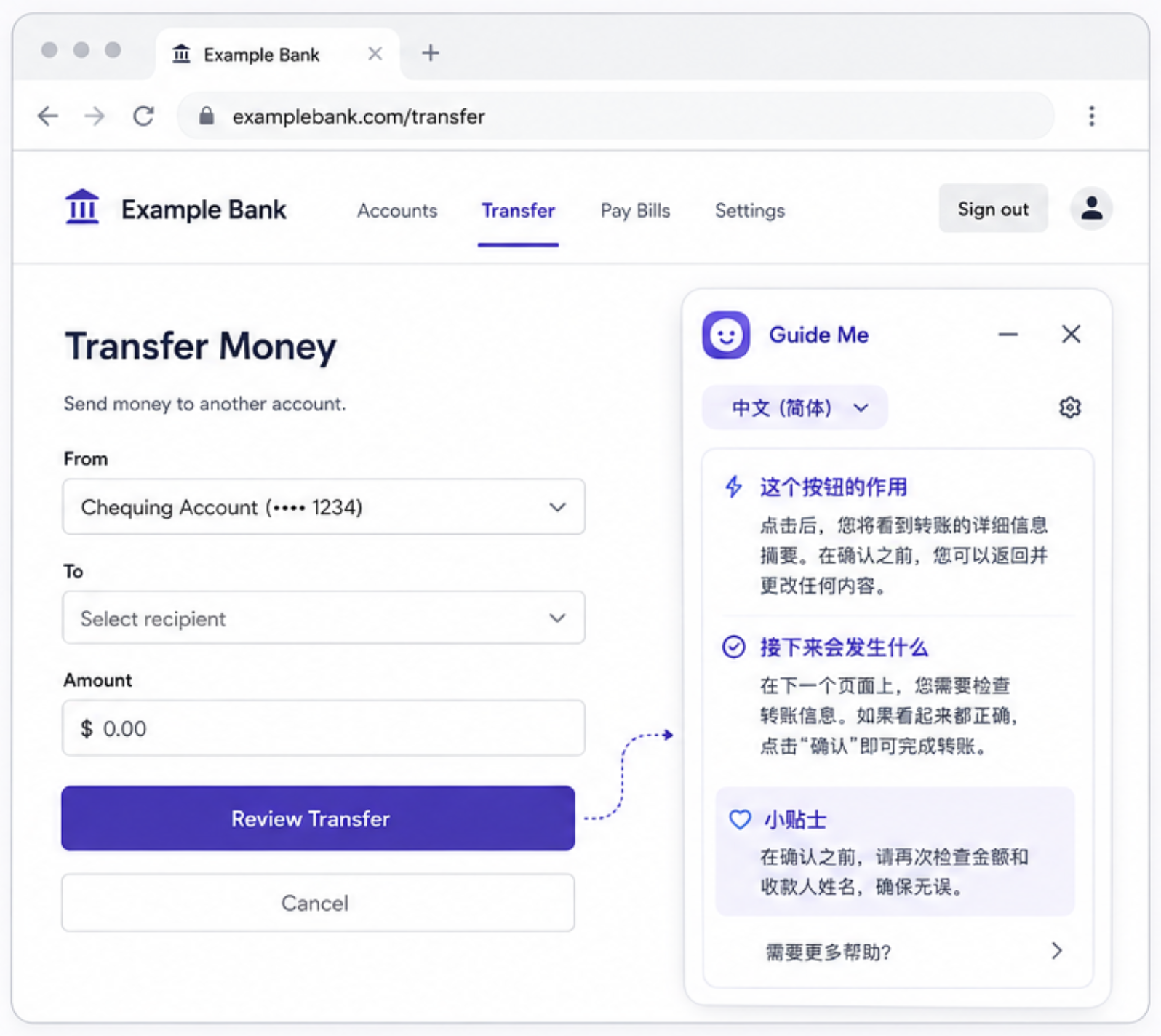
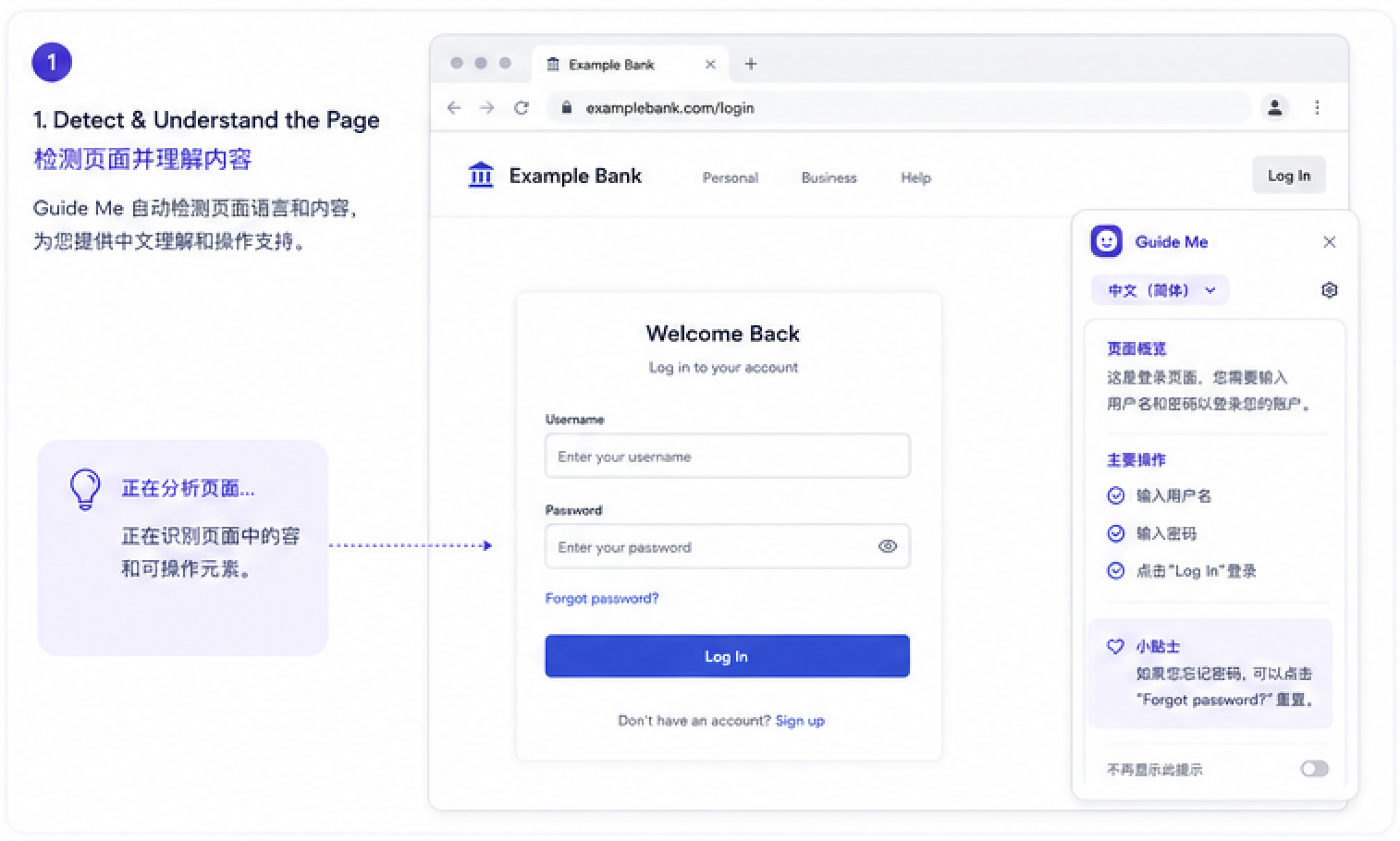
Guide Me is a lightweight browser companion that overlays contextual support onto existing websites. Rather than redesigning entire websites, Guide Me adapts to users where they already are.
Key Features
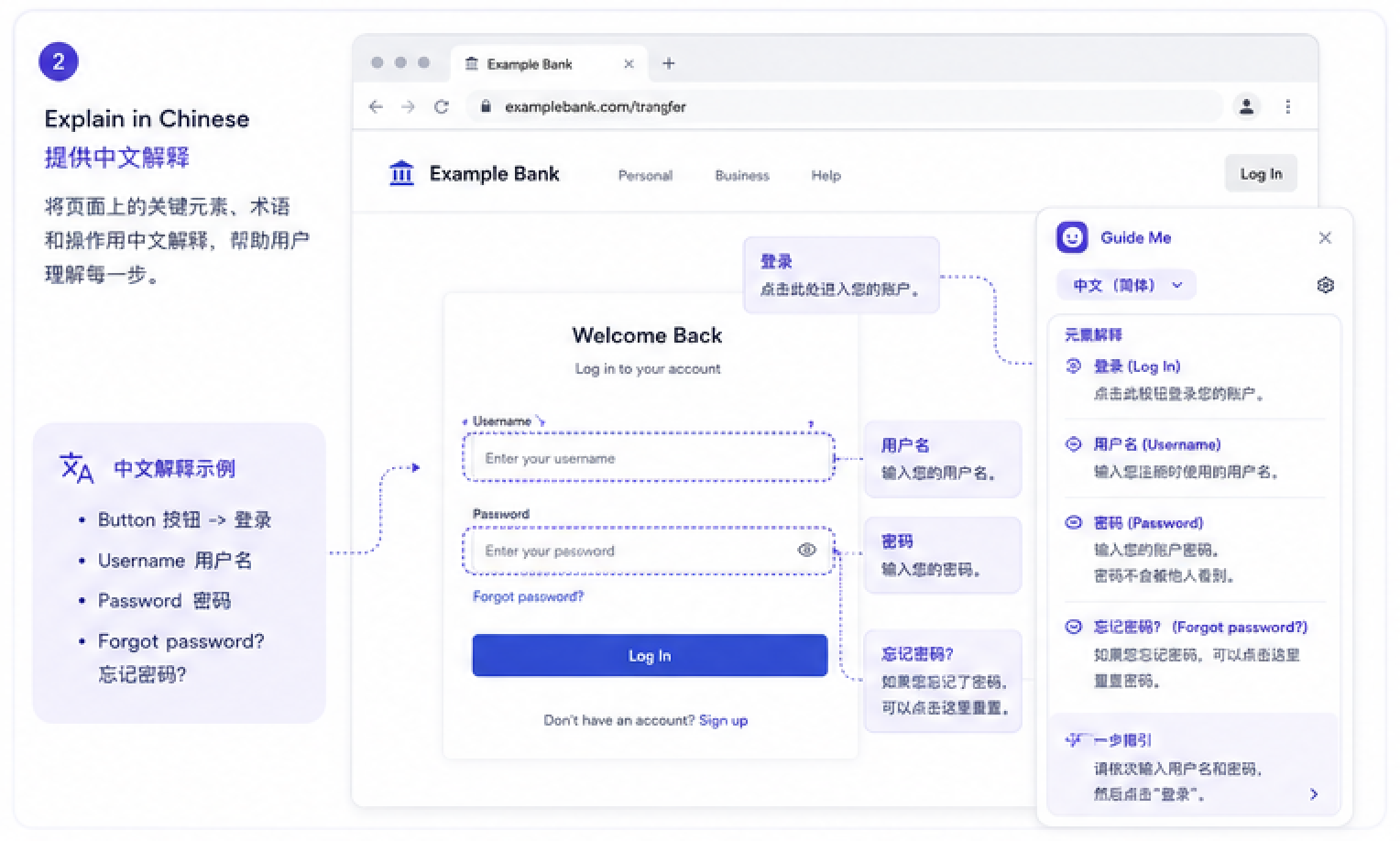
- Plain-language explanations for buttons, forms, and terms
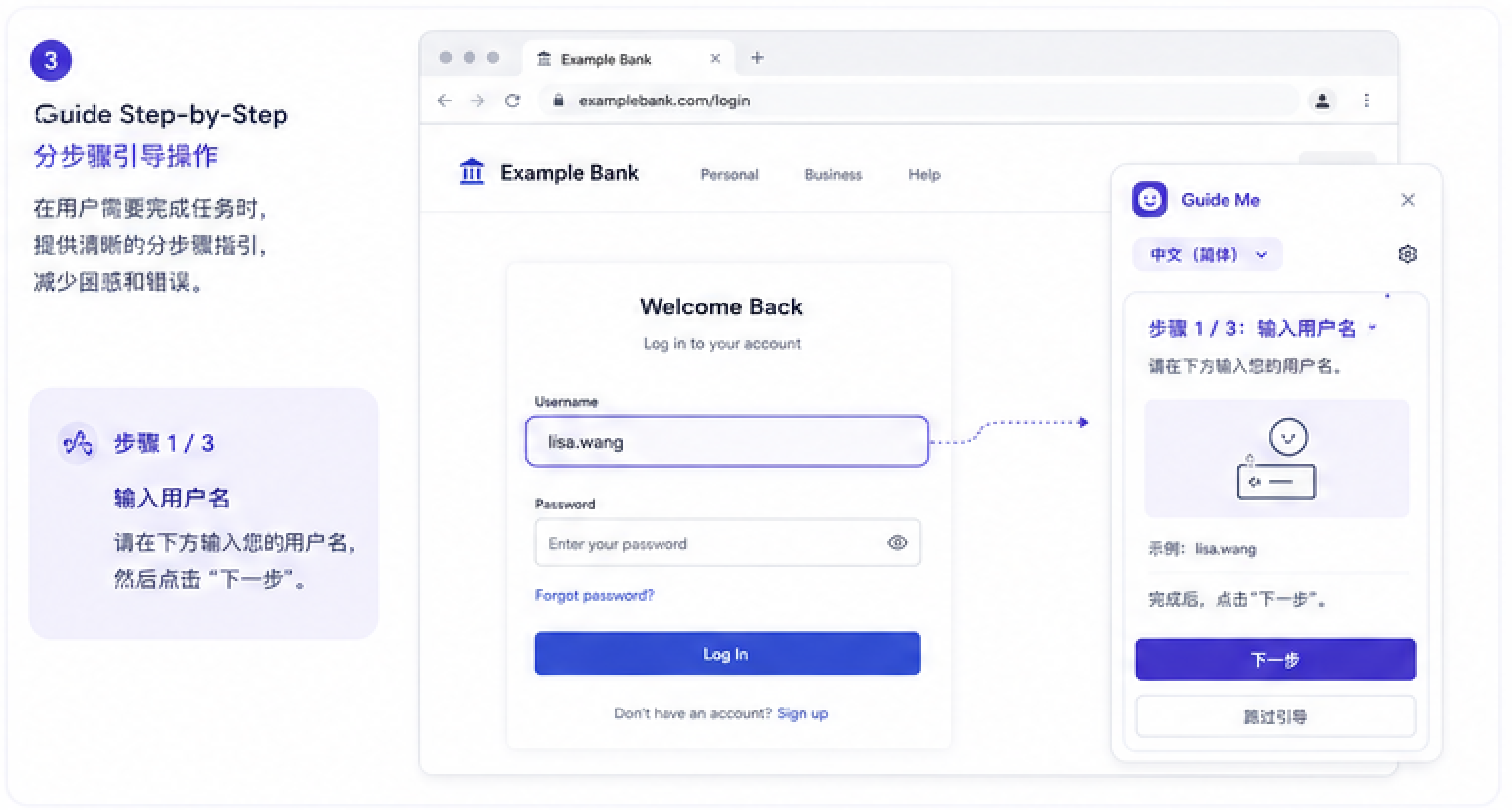
- Step-by-step guidance through complex flows
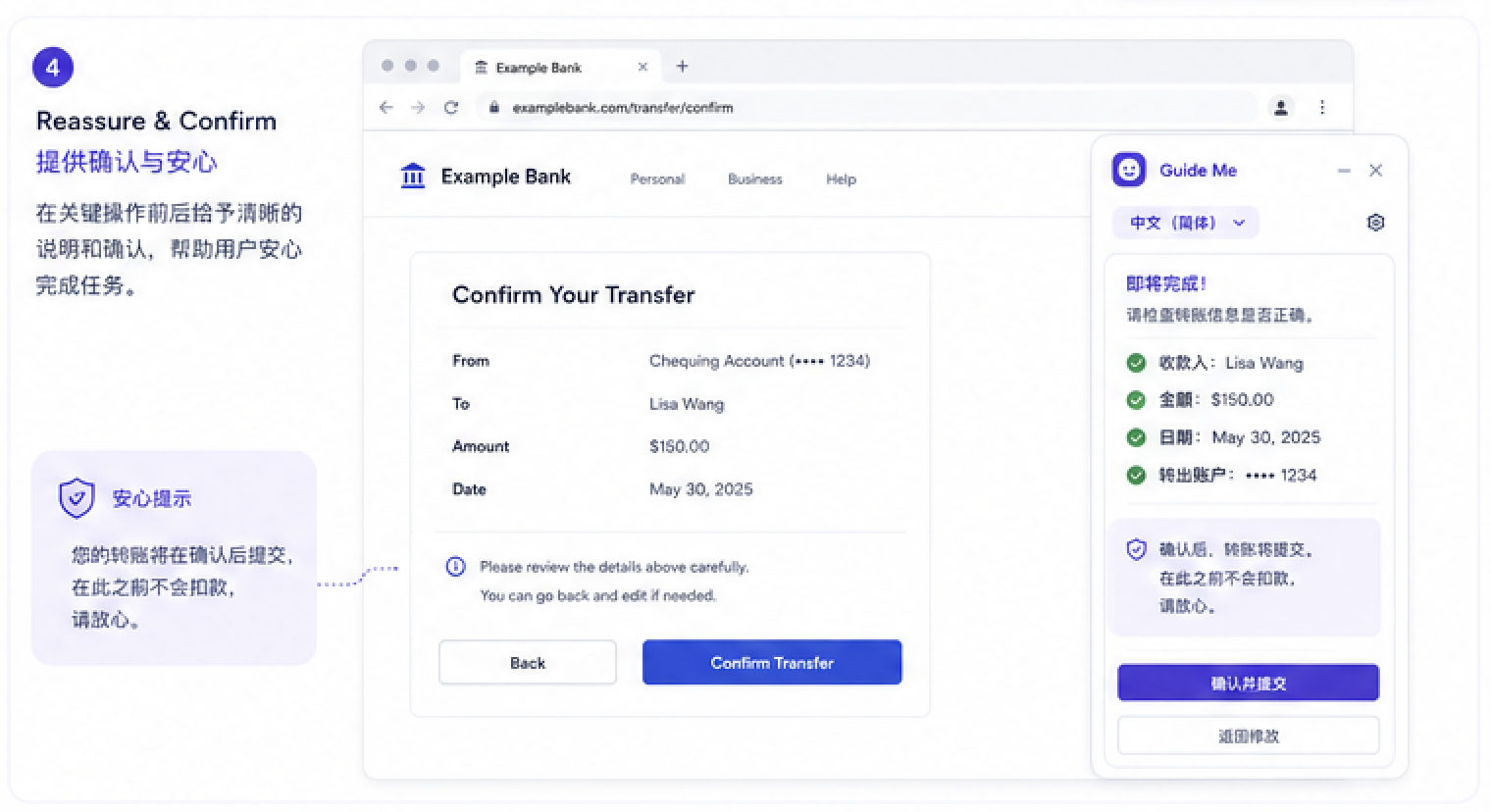
- Reassurance prompts explaining what happens next
- Visual highlights to direct user attention
Wireframes & Prototyping
I began with low-fidelity wireframes to explore placement of guidance elements, the amount of information users could comfortably process, and the balance between helpfulness and intrusiveness.
Through iteration and usability testing, I refined the design into high-fidelity prototypes that emphasized calm, clarity, and trust.
Usability Testing & Iteration
I tested prototypes with users who matched the target audience and gathered feedback on clarity of explanations, ease of completing tasks, and emotional comfort throughout the flow.
Key Iterations
- Simplified language further based on confusion points
- Reduced visual noise to lower cognitive load
- Added reassurance messaging before high-stakes actions

Reflections
Guide Me reflects how I approach UX design: starting with empathy, grounding decisions in research, and designing solutions that quietly empower users.
This project strengthened my interest in inclusive design and reinforced the importance of designing for people who are often excluded from default UX assumptions.